
Installation of the A13J should only be done by an Assistive Technology Professional (ATP). Technical support is available Monday - Friday, 7:00am - 3:00pm PST. Call 425-242-3902 or email support@tolttechnologies.com.
The A13J is a lightweight alternative drive control you can use with your eyes. This device is designed for people who can no longer use the joystick on their powered wheelchair and do not already have a compatible eye-gaze device.
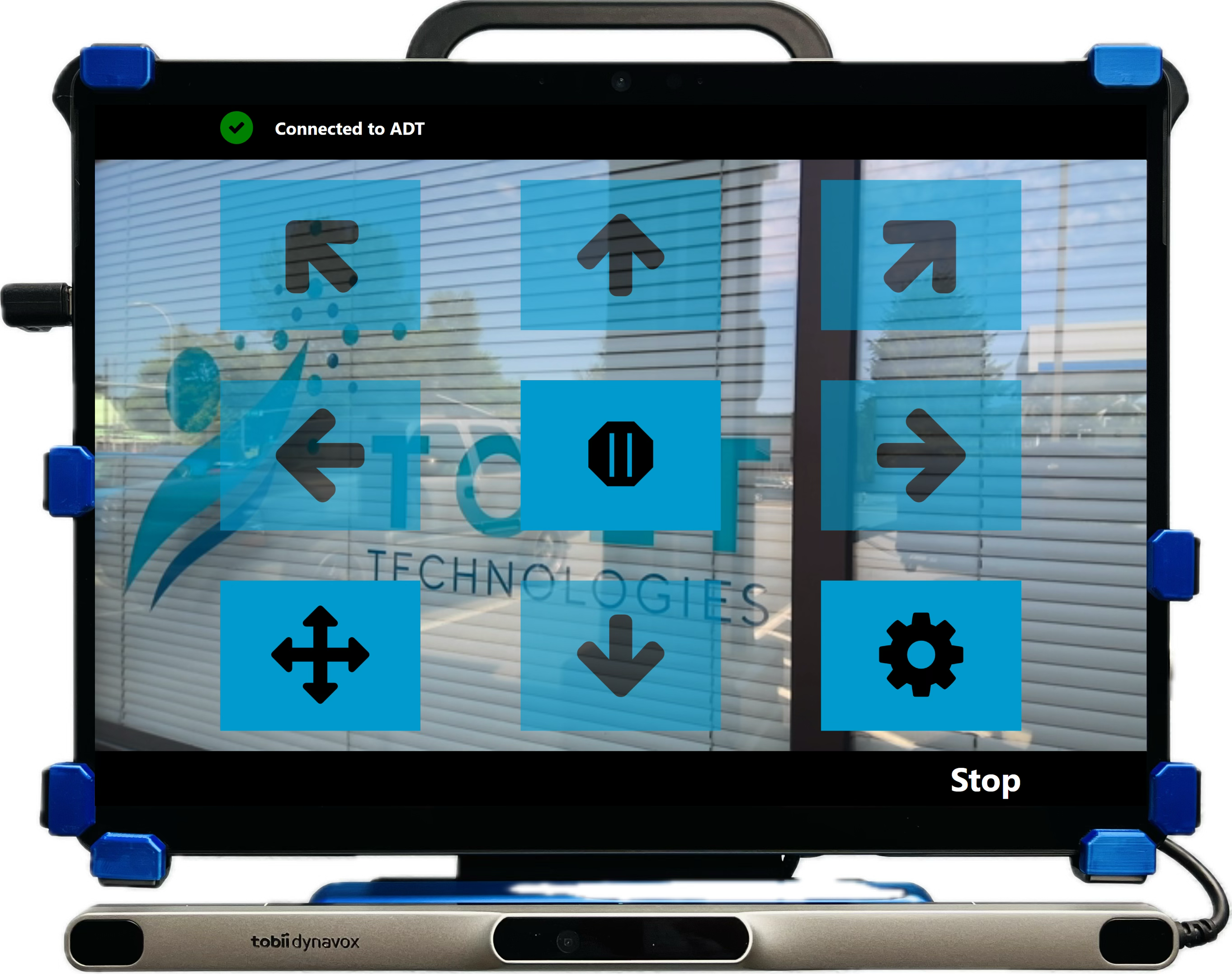
Installation
Mount'n Mover (AMJ):
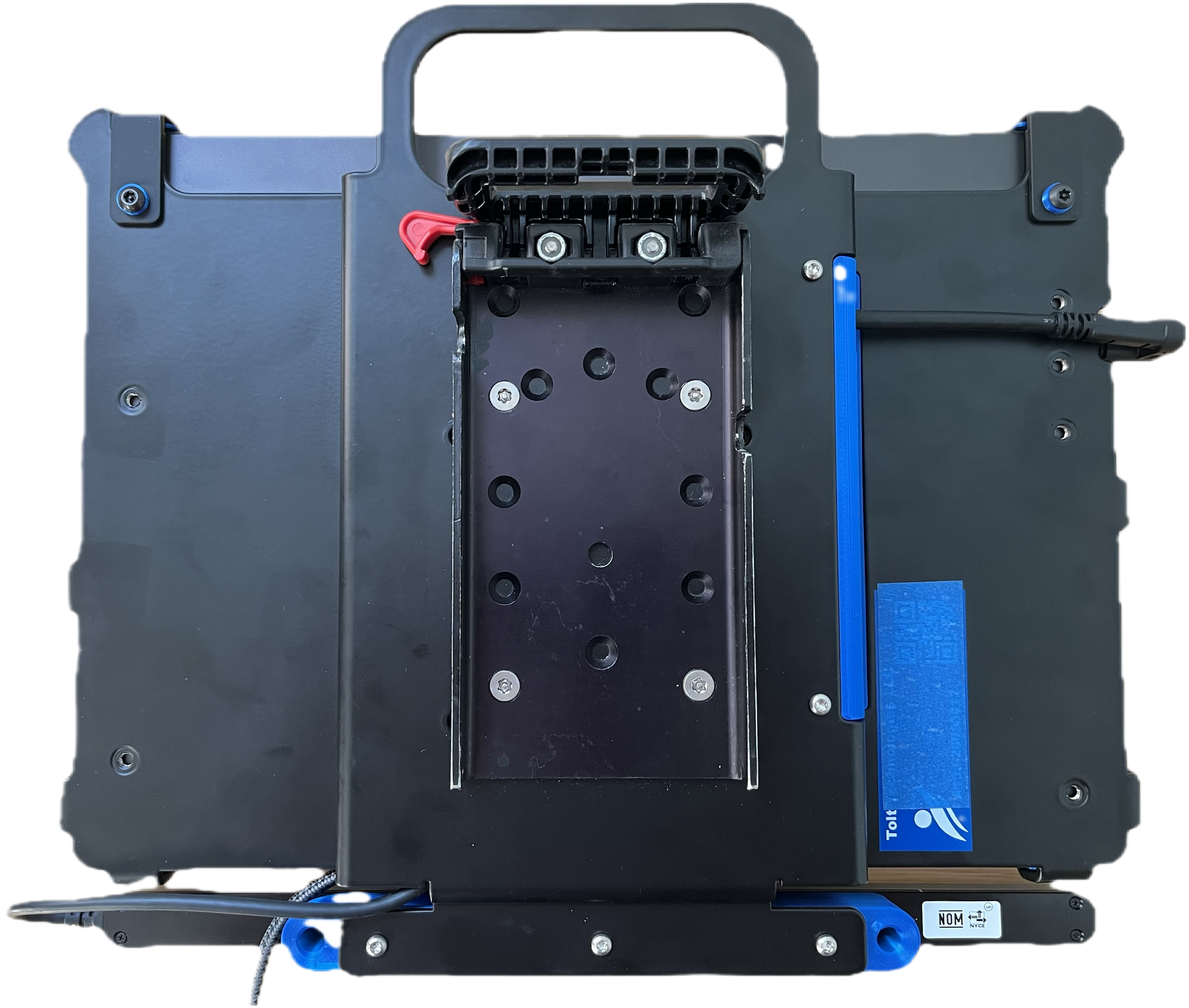
Step 1: Release the red lock on the quick release plate QRP and pull out and up on the handle.
Step 2: Place QRP onto the tilt plate, close the handle, and secure the red lock.
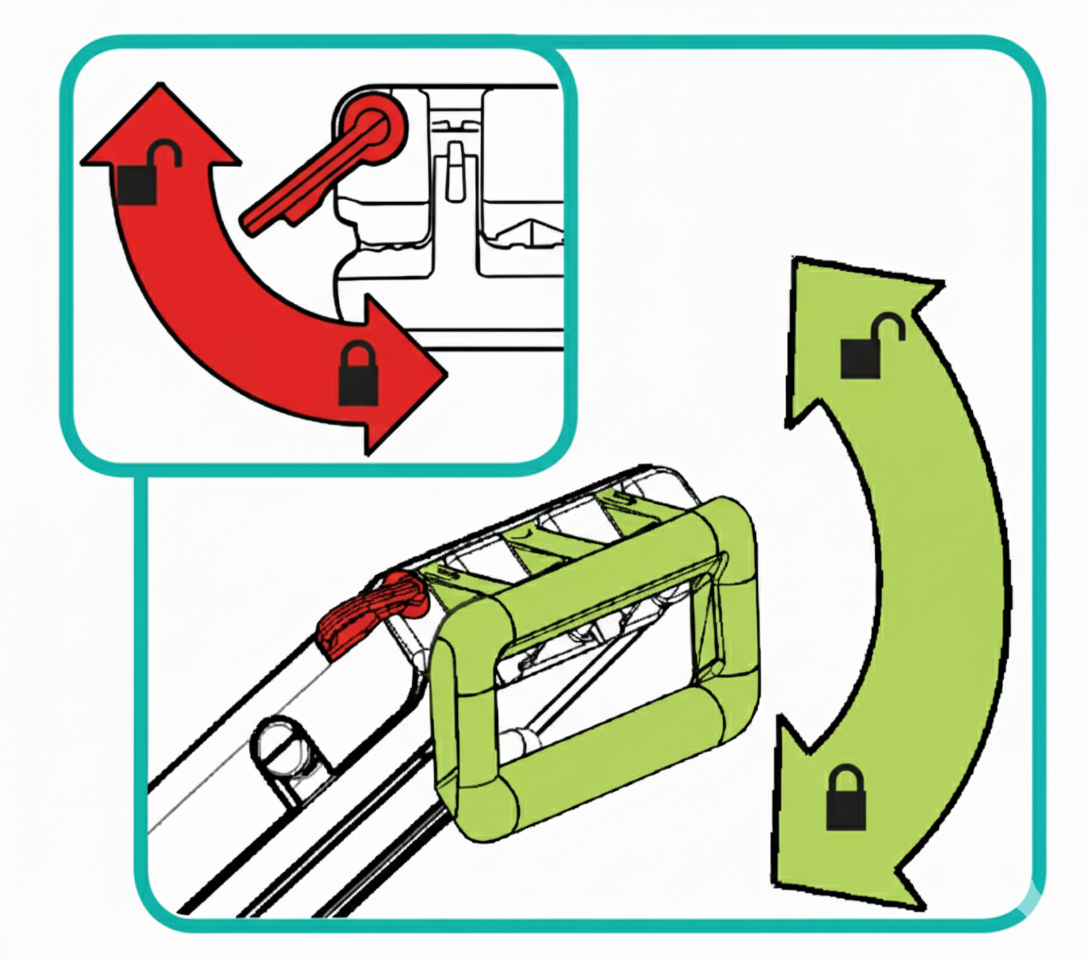
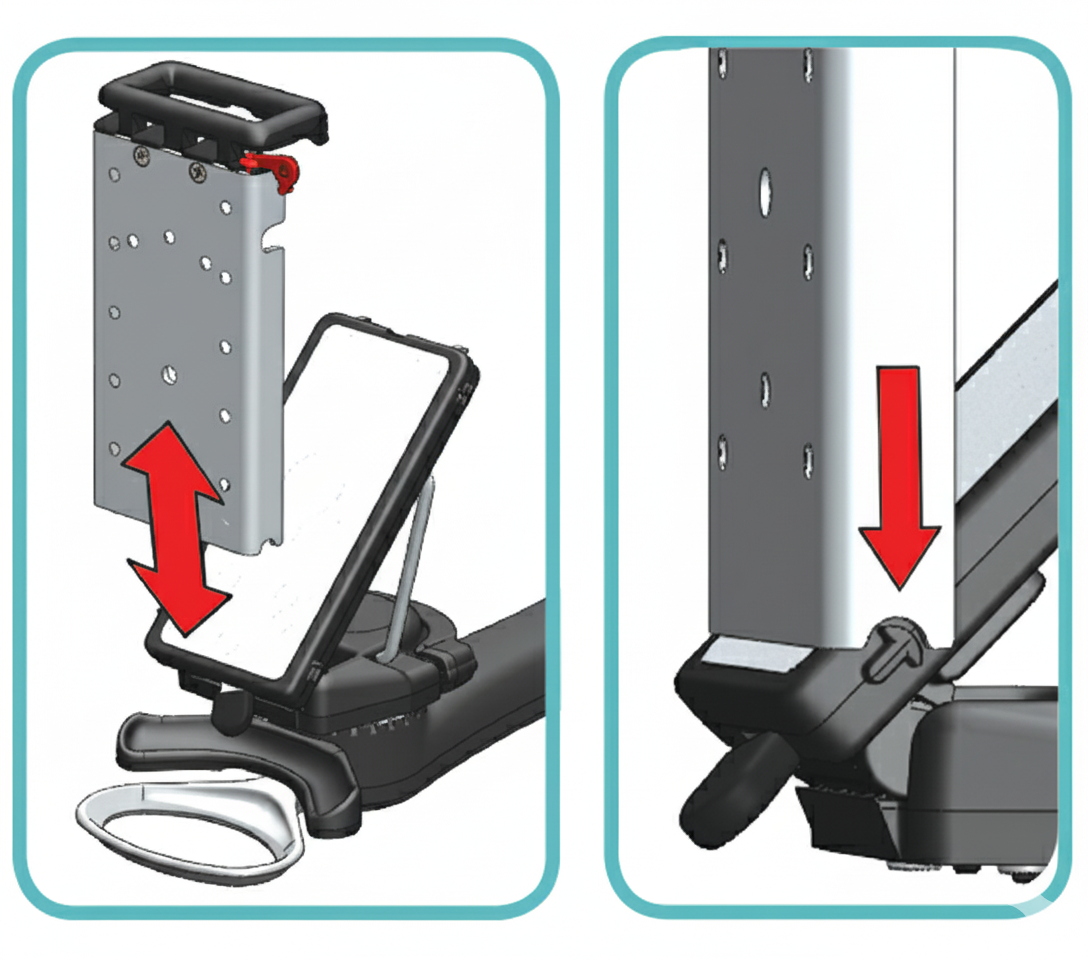
Other Mount'n Mover Resources
Rehadapt (RDM):
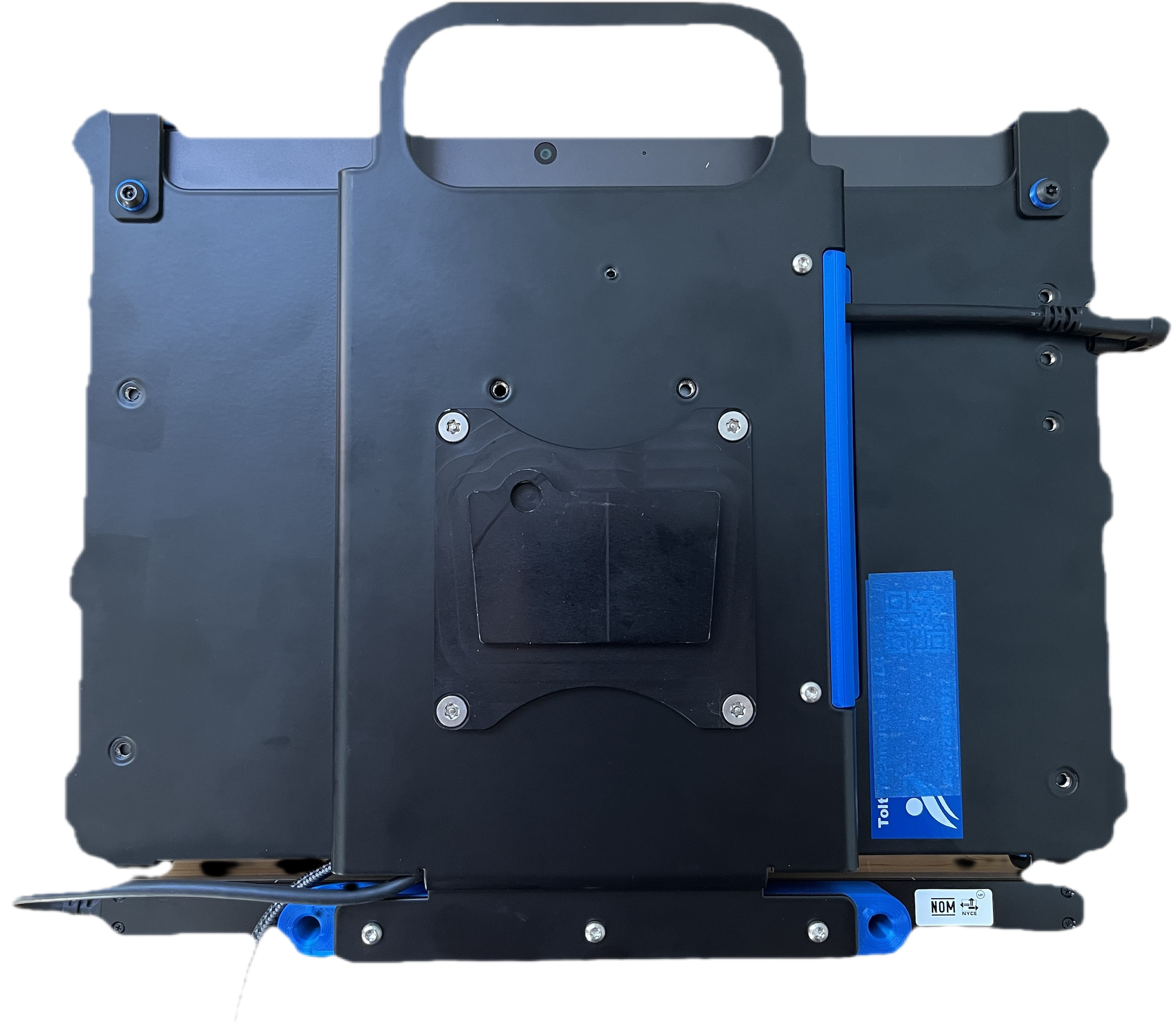
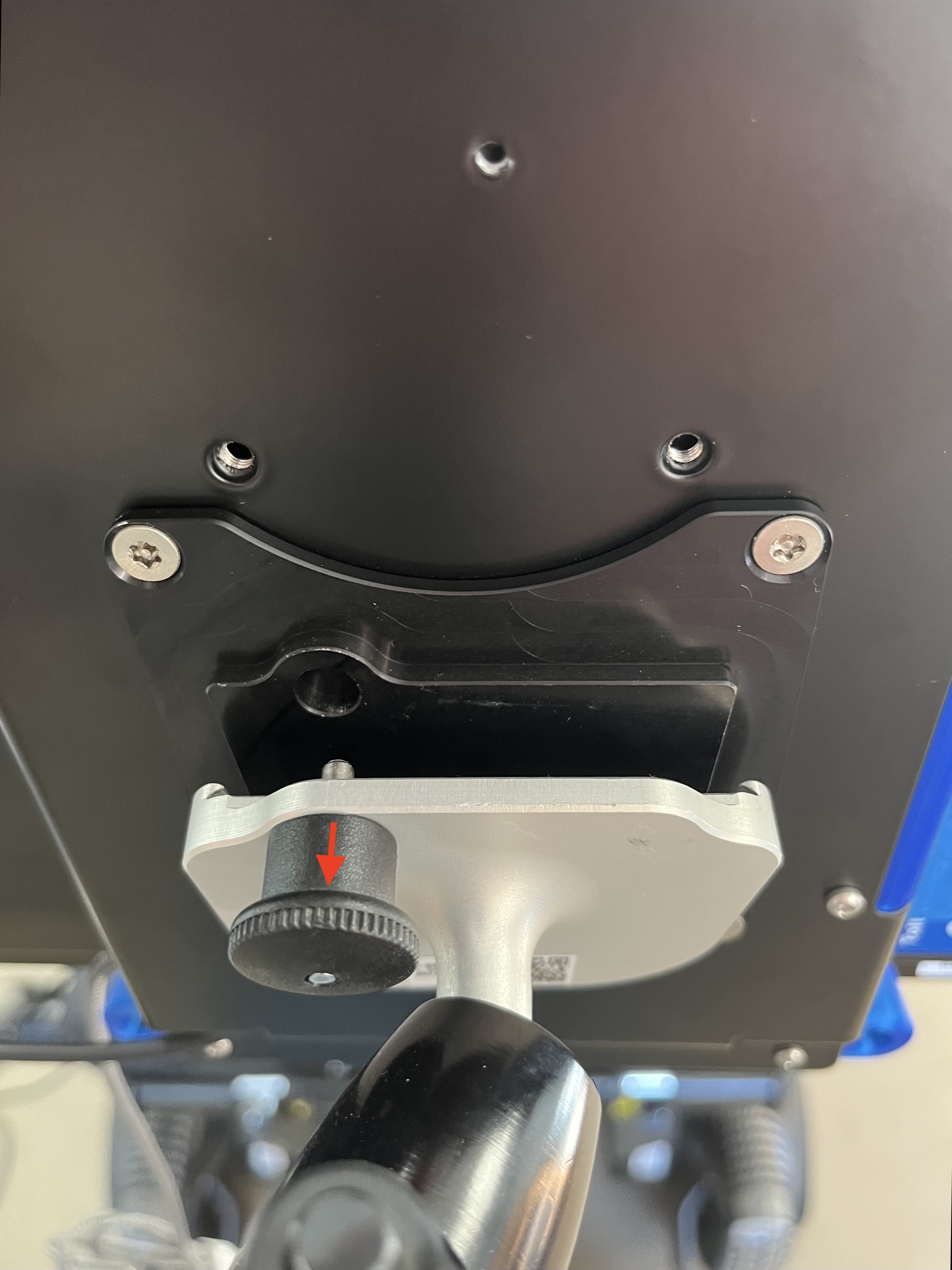
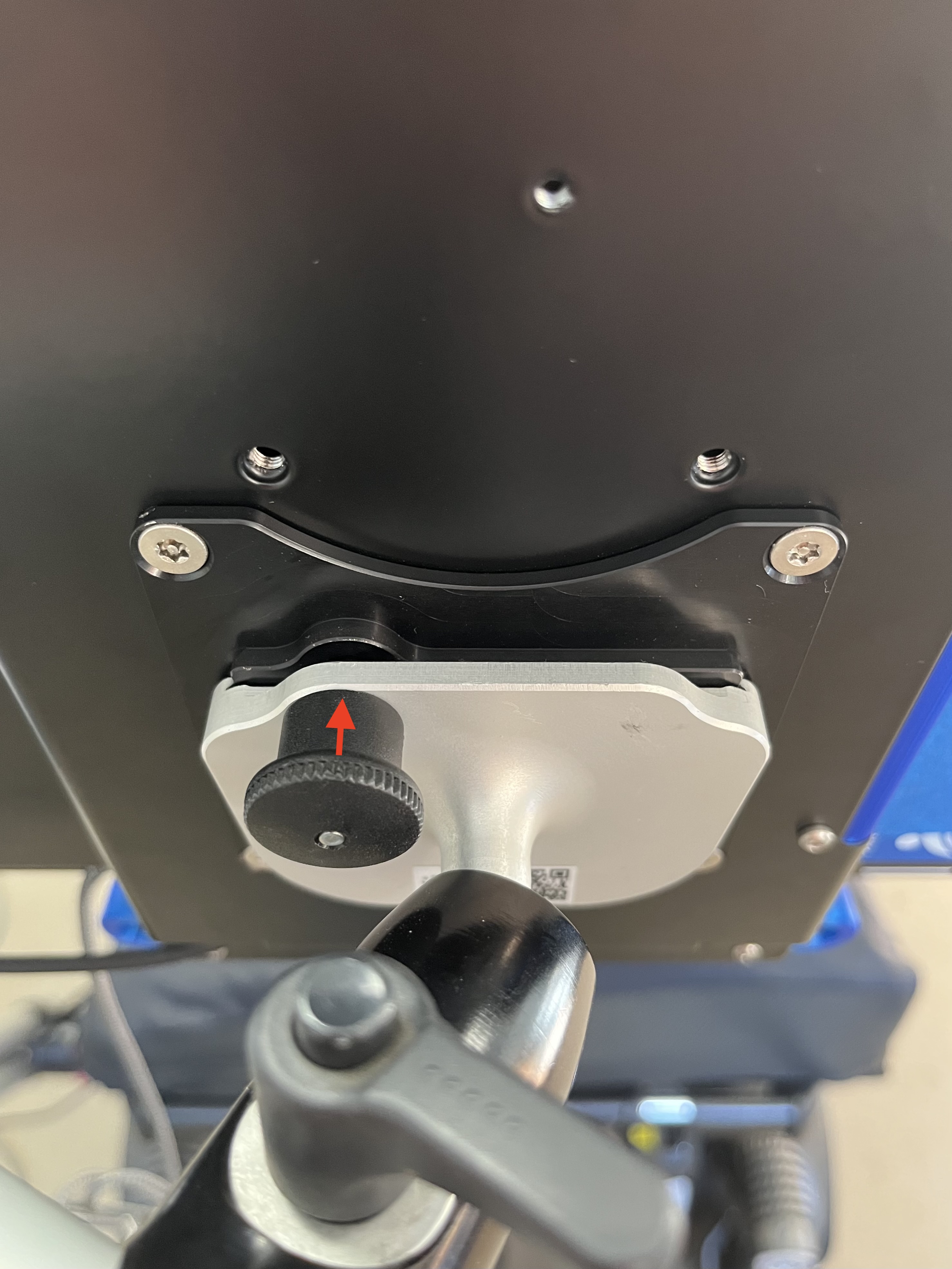
Step 1: Align dovetail mounting plate with the RDM receiver and pull back the pin.
Step 2: Slide the receiver up and on to the mounting plate, releasing the pin into the plate to secure it.
Other Rehadapt Resources
How to Install the RDM