
This article demonstrates how to troubleshoot a Tobii eye-tracker when eyes do not appear in the positioning guide.
Step 1:
Open Eye Tracking Settings.

Step 2:
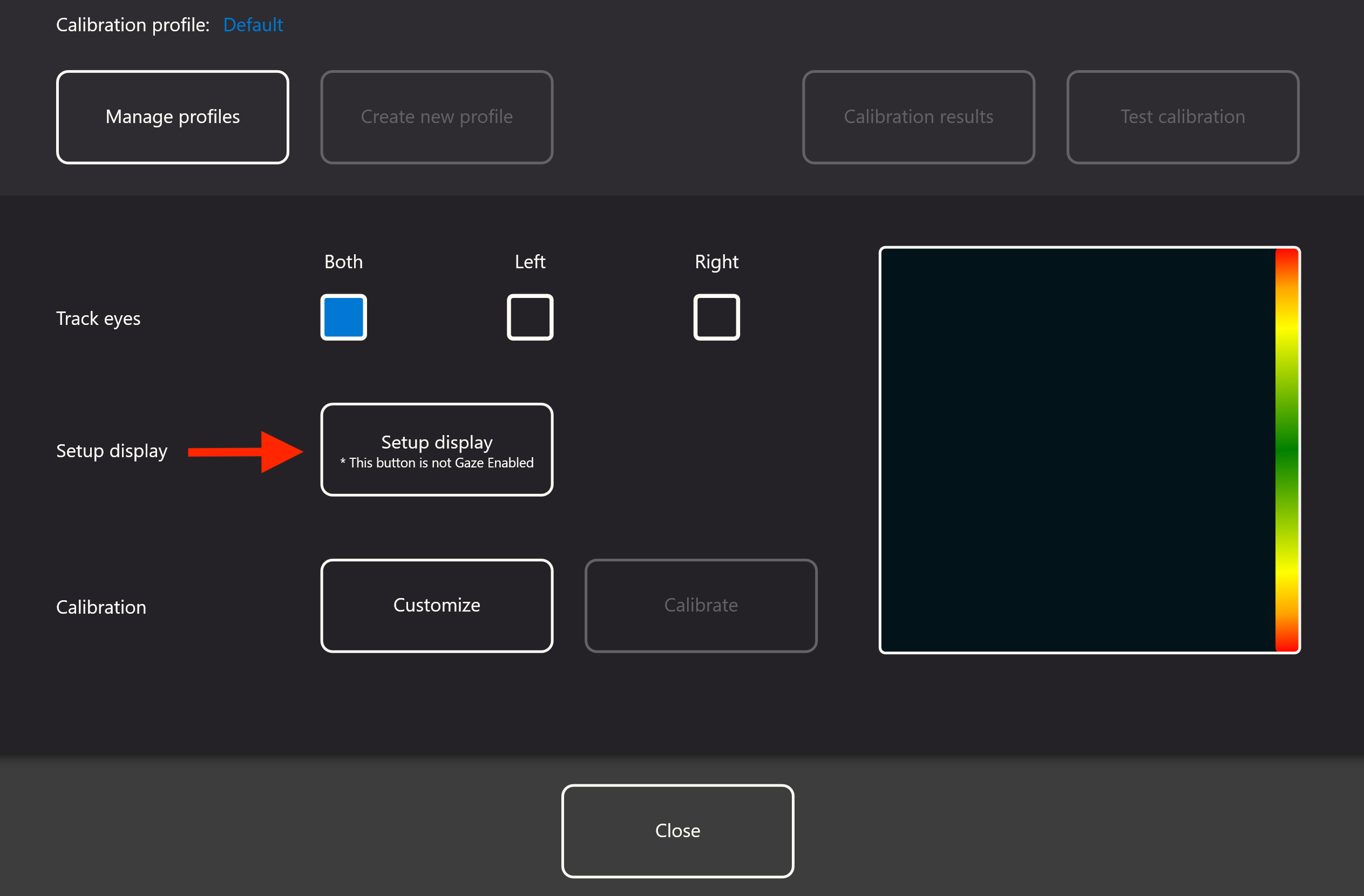
Click on "Setup display".
Step 3:
Check the box in the center of the screen, indicating you are using an Eye Tracker Bracket. Then click Done.

Step 4:
Confirm that your eyes show up in the positioning guide on the right hand side of the Settings menu.

Technical support is available Monday - Friday, 7:00am - 3:00pm PST. Please call (425)242-3902 or email support@tolttechnologies.com.