
This article shows how to enable Ability Drive® to play piano notes, instead of driving, and without an ADT.
Step 1:
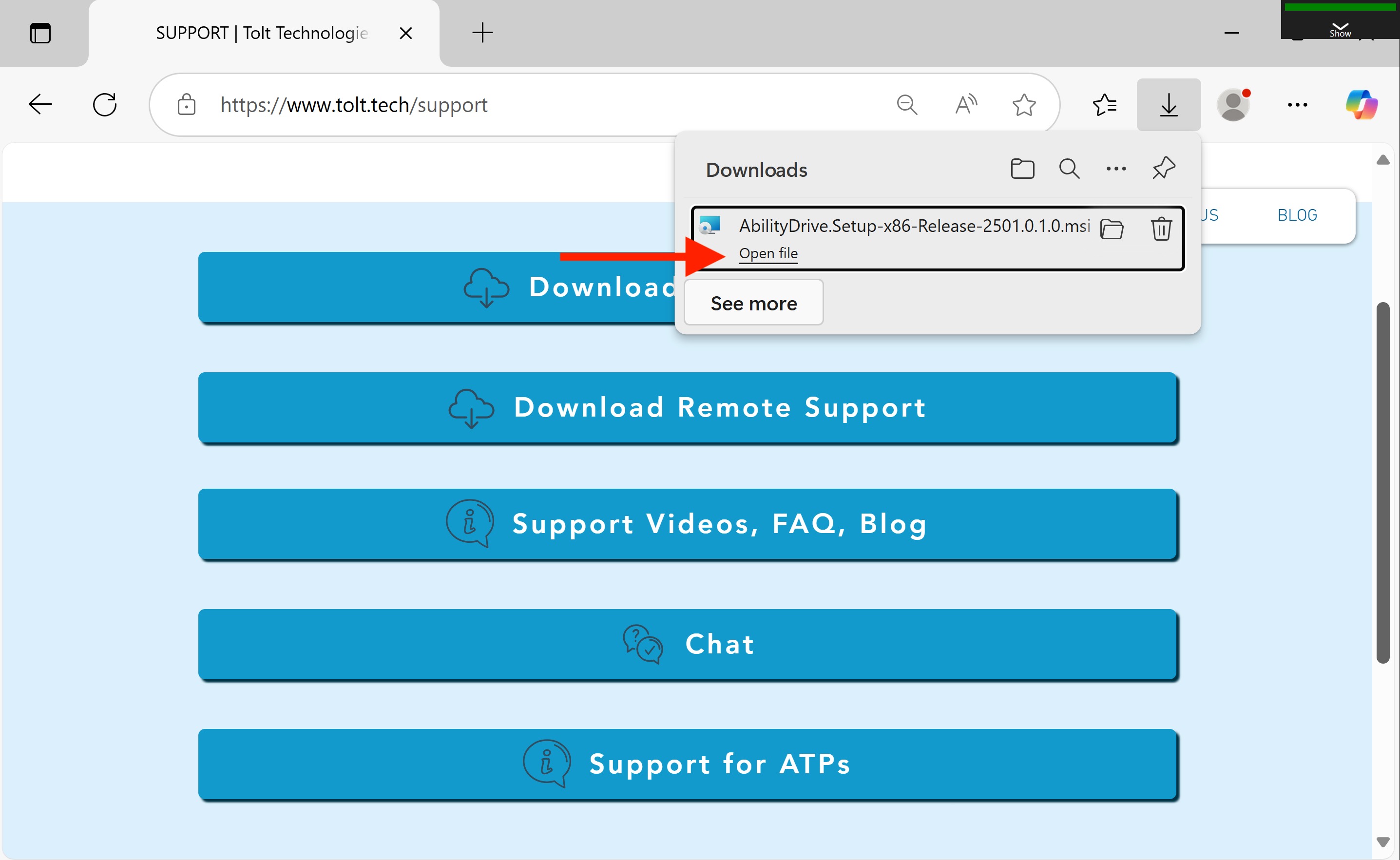
Install Ability Drive onto the eye-gaze device by visiting our website, https://www.tolt.
When the download completes, click "Open file".
Step 2:
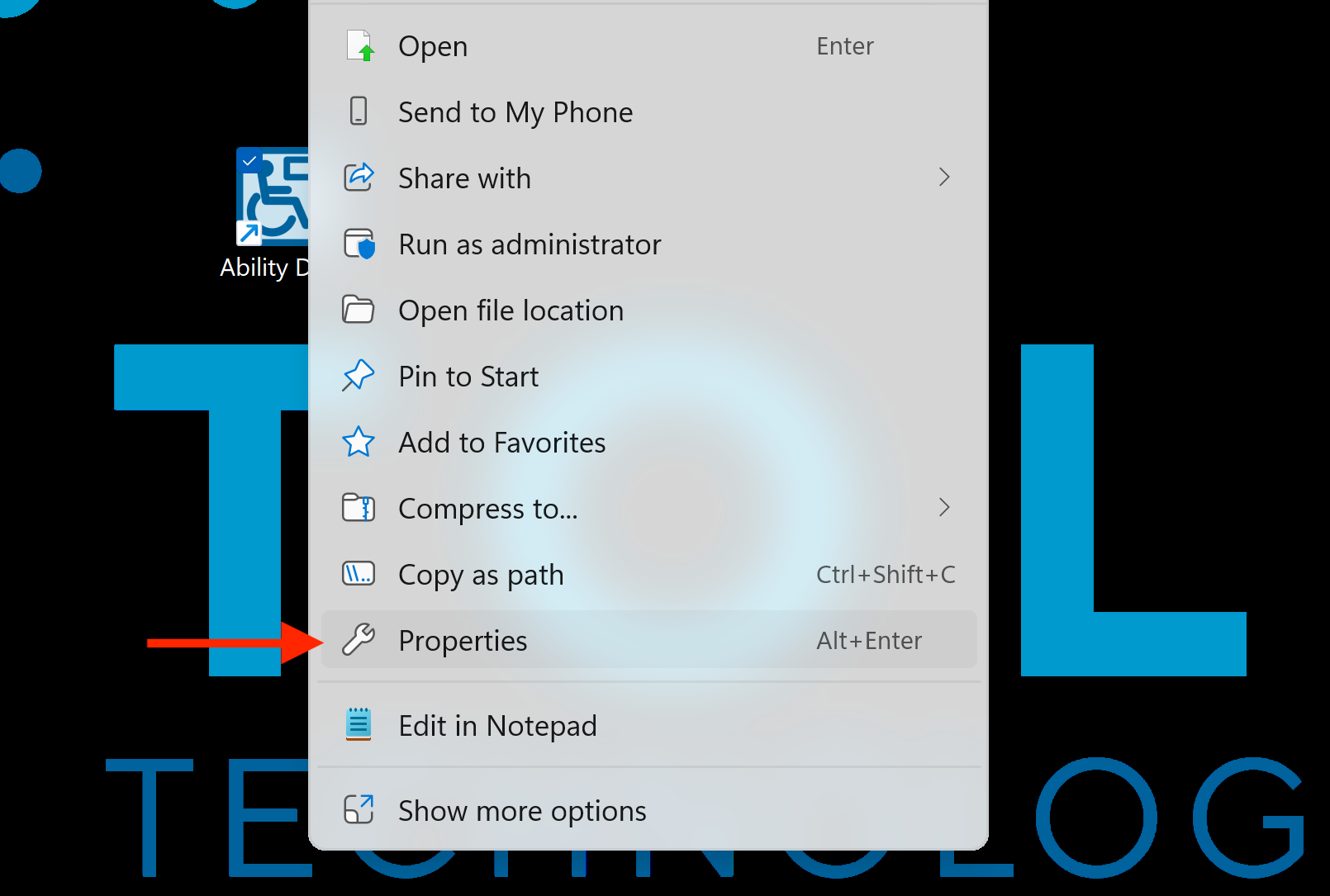
Next, right-click on the Ability Drive desktop icon, and click Properties.
Step 3:
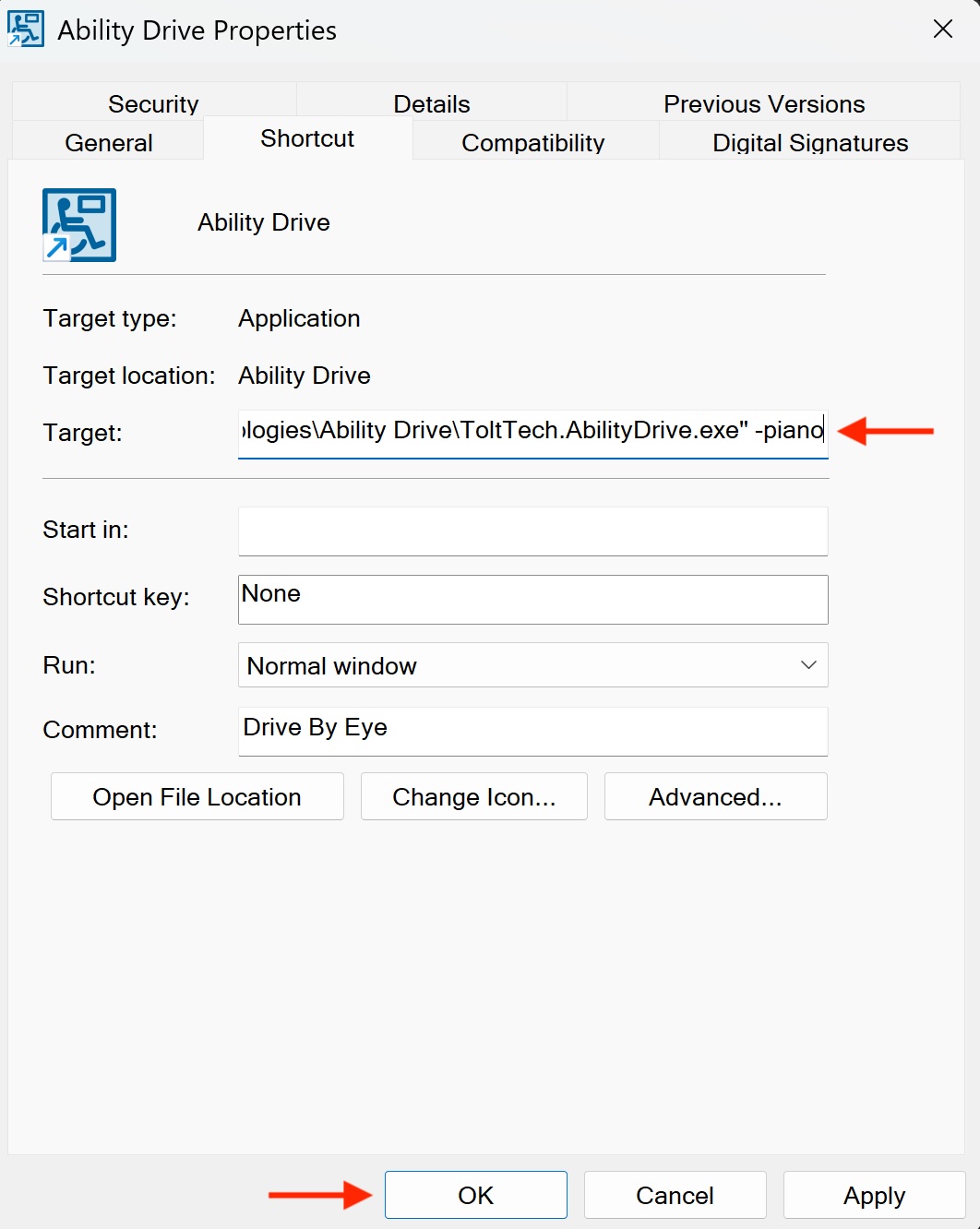
Next, in the Shortcut tab, at the end of the target field, add a space, a hyphen, and the word piano. In summary, add " -piano" to the end of the target. Remember to add a space before the hyphen. Click pply and then Ok.
Step 4:
Return to the Windows desktop and open the Ability Drive app. The drive arrows will now play piano notes.
Technical support is available Monday - Friday, 7:00am - 3:00pm PST. Please call (425)242-3902 or email support@tolttechnologies.com.